Unified Team Inbox for Small Businesses: What Actually Works
Your team answers the same customer twice because three people saw the same WhatsApp message. Meanwhile, an Instagram DM sits unread for six hours. Small businesses lose sales in that gap, not in their product. For a closer look at the options in this space, see Whatsapp Business API.
This article shows what a unified team inbox actually fixes, which features earn their place (assignment, collision detection, bot handoff), and which small teams genuinely need one. You will also get a rollout checklist, pricing models to compare, and a look at where Com.bot fits.
What a Unified Team Inbox Actually Solves for a Small Business
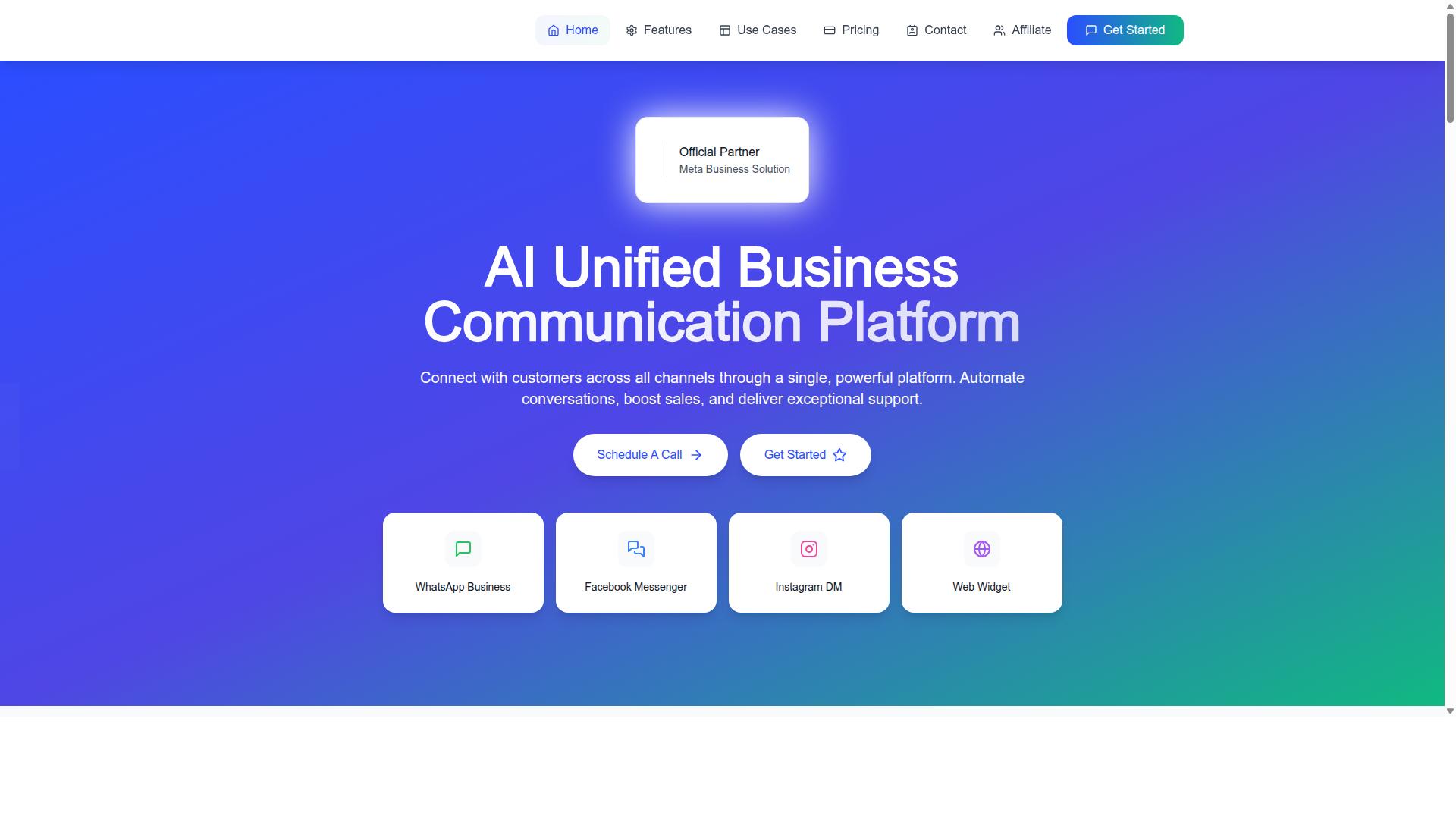
A unified team inbox consolidates every customer conversation, from WhatsApp, Facebook Messenger, Instagram DM, and web chat, into a single shared workspace, eliminating the chaos of switching between apps and losing context.
Picture a typical morning: a boutique owner answers Instagram DMs on a phone, checks WhatsApp Business on a second device, and forgets which teammate already replied to a Facebook inquiry. Messages slip through, and customers notice.
A unified team inbox fixes this by pooling every channel into one view shared by the whole team. It is not just a chat tool. It is a workflow system that assigns conversations, tracks status, and resolves inquiries with accountability.
Scale matters here. More than 23,000 active customers use Com.bot's unified inbox to manage over 25M+ messages daily, a sign that multi-channel consolidation has become standard practice rather than a luxury.
The real costs of scattered WhatsApp, Messenger, Instagram, and web chat threads
When customer messages are scattered across WhatsApp, Messenger, Instagram, and web chat, the hidden costs add up fast: slower response times, duplicated efforts, and lost sales.
Consider the arithmetic. A business receiving 100 messages a day across four channels can easily spend around two hours simply switching apps, re-reading context, and hunting for who said what. That is time not spent selling or serving.
The damage goes beyond wasted minutes:
- Missed messages quietly erode trust, and missed inquiries can hurt conversion.
- Duplicate replies from two agents to the same customer look careless and unprofessional.
- First reply time can stretch longer when agents juggle separate apps instead of one queue.
- No visibility into who replied, no conversation history, and no metrics to measure performance.
A retail small business illustrates the pattern: leads that sat unanswered across channels for hours were eventually lost to faster competitors. The owner only noticed after reviewing a month of scattered threads.
The emotional toll matters too. Teams working without a shared inbox report frustration, blame-shifting over unanswered messages, and a nagging sense that customers are slipping away. Morale drops when no one can tell whether a conversation was handled or forgotten.
Which small businesses genuinely need one - and which don't
Not every small business needs a unified team inbox; if you handle a low volume of conversations a day from a single channel, a basic shared email address might suffice.
The decision comes down to volume, channels, and team size. Use this matrix as a quick filter:
| Signal | Needs a unified inbox | Probably doesn't |
|---|---|---|
| Team members handling queries | 2 or more | Solo operator |
| Active channels | 2 or more, such as WhatsApp and Instagram | One channel only |
| Daily message volume | Higher volume | Low volume |
| Support model | Mixed chat and social inquiries | Phone-only support desk |
Two examples make it concrete. A boutique clothing store taking orders through WhatsApp and answering style questions in Instagram DMs clearly needs one shared view. A freelance consultant who works entirely through email does not.
Larger and more complex organizations are natural fits as well. Government bodies and enterprises with multi-channel support requirements, including bulk messaging, order updates, and payment collection, are ideal candidates for a consolidated platform. Com.bot, an official Meta Business Partner, counts 100+ government bodies and 500+ global partners among the organizations using its multi-channel inbox.
If your situation lands in the middle, start with the symptoms rather than the label. Growing message volume, a second team member, or a new sales channel are all reasonable triggers to move from a shared email address to a proper team inbox.
The Features That Matter (and the Ones That Don't)
When evaluating a unified team inbox, focus on features that directly impact response time and team collaboration, not flashy extras that add complexity without value. Feature bloat is common in customer support software, and small businesses often pay for capabilities they never use.
The right feature set does two things: it reduces first reply time and lifts customer satisfaction (CSAT). Everything else is noise. The three areas below cover what actually moves the needle for a small team running a shared inbox.
Shared inbox essentials: assignment, collision detection, internal notes, and statuses
The non-negotiable features of a shared inbox are conversation assignment, collision detection, internal notes, and statuses. Without these, you're just using another chat app with a shared email address attached.
Assignment lets a manager route a conversation automatically based on workload, or manually to a specific agent. This matters when your support@ inbox or info@ inbox mixes billing questions with shipping issues. The right person answers the right question, faster.
Collision detection alerts agents when two people are typing to the same customer at once. Duplicate replies look sloppy and confuse the customer. A simple warning prevents the overlap before it reaches the inbox.
Internal notes are private comments the customer never sees. They let a teammate flag context, like a VIP account or an open refund, so the next agent does not start from zero. This is where email collaboration inside a help desk beats a plain Gmail shared inbox or Outlook shared inbox.
Statuses such as open, pending, and resolved track where each conversation stands. Consider a customer asking about order status. Agent A assigns it to Agent B, who handles shipping, adds an internal note marking the customer as VIP, and sets the status to pending until the carrier confirms. Teams that use these four features together tend to see lower resolution times.
These essentials also feed SLA management. When every conversation carries an owner and a status, you can measure response time honestly instead of guessing.
Channel coverage: why WhatsApp, Facebook Messenger, Instagram DM, and web widget must live in one place
Customers expect to reach you on their preferred channel, whether that is WhatsApp, Facebook Messenger, Instagram DM, or web chat. A unified inbox ensures no message falls through the cracks when those channels sit in separate apps.
Channel fragmentation creates two problems. First, missed messages, because someone has to remember to check five different tabs. Second, inconsistent branding, because each agent answers differently depending on where the question arrived. Customers tend to expect a consistent experience across channels.
Each channel carries its own weight:
- WhatsApp offers exceptionally high open rates, with messages read far more often than email. The WhatsApp Business API also supports structured business messaging rather than casual chat alone.
- Instagram DM is where younger demographics often make first contact, especially for consumer brands.
- A web widget captures visitors while they are still on your site, when intent is highest.
- Facebook Messenger remains a default contact point for many local businesses.
Com.bot supports WhatsApp, Facebook, and Instagram alongside a web widget in one platform, so a single multi-channel inbox holds the whole history. Picture a customer who starts on Instagram asking about sizing, then moves to WhatsApp to complete the order. With a unified view, the agent sees both conversations and never asks the customer to repeat themselves.
Automation and bot handoff: routing, quick replies, and when a human should take over
Automation should handle repetitive queries and route complex issues to humans. Knowing when to hand off is critical, because a bot that traps a frustrated customer does more damage than no bot at all.
Three building blocks do most of the work:
- Routing rules send conversations to the right team. A keyword like "refund" can move a chat straight to billing, skipping the general queue.
- Quick replies or canned responses answer common questions instantly, such as "What are your hours?" or "Where is my order?"
- Bot handoff triggers pass the conversation to a person when sentiment turns negative, when someone types "agent," or after repeated failed attempts to understand the request.
Best practice is to let bots handle order tracking and similar lookups, then hand complaints to a human immediately. A large share of routine queries can often be resolved without an agent, which frees your team for higher-value work.
A simple flow shows how this fits together. The bot greets the customer and asks their intent. If the answer is "return," it provides the return link and closes the loop. If the answer is "complaint," it transfers the conversation to a human with the full context attached.
Com.bot's visual bot builder and automation builder support this kind of flow, with routing and handoff logic that connects to a shared team inbox. The goal is not to automate everything. It is to make sure the easy questions never wait in line behind the hard ones.
How to Evaluate and Set Up a Unified Inbox Without Disrupting Your Team
Evaluating and rolling out a unified inbox requires a balance between cost, features, and minimal disruption to your team's daily workflow. A rushed switch can create confusion, missed messages, and frustrated customers.
Pricing models vary widely across customer support software, so it pays to understand what you are actually paying for before committing. Just as important, a structured rollout prevents chaos and keeps your small business communication running smoothly during the transition.
The two areas below cover what to compare and how to phase your launch. Start with the pricing structure, then move through a practical checklist that keeps agents calm and customers cared for.
Pricing models to compare: per-agent, per-channel, and usage-based add-ons
Unified inbox pricing typically falls into three models: per-agent, per-channel, or usage-based add-ons, each with different implications for growing teams. Understanding how each one scales helps you avoid surprises as your shared inbox expands.
Per-agent pricing charges a set fee for every team member who needs access. This model scales naturally with your headcount, which suits teams that add people steadily over time.
Per-channel pricing charges for each connected channel instead. This structure penalizes a multi-channel inbox strategy, since every new channel, from live chat to SMS support, adds to the bill.
Usage-based add-ons charge for messages or external actions. Costs stay low in quiet months but can become unpredictable during busy periods or seasonal spikes.
Here is how the math can look for a five-agent team using three channels:
| Model | Example cost | Best for |
|---|---|---|
| Per-agent | Scales with headcount plus base fee | Teams growing in headcount |
| Per-channel | Scales with connected channels plus base fee | Teams focused on one or two channels |
| Usage-based | Varies with message volume | Teams with steady, predictable traffic |
Each model has trade-offs. Per-agent scales with your team, per-channel works against a multi-channel strategy, and usage-based billing can swing month to month. Ask vendors for transparent pricing before you decide, and confirm what counts as an agent, a channel, or an action.
A practical rollout checklist: connect channels, define ownership, set response-time targets
A successful rollout follows a phased approach: connect channels one by one, assign ownership clearly, and set measurable response-time targets from day one. Resisting the urge to connect everything at once is the single best way to protect your team from overwhelm.
- Connect your primary channel first. Start with the one that carries the most volume, such as WhatsApp Business, then add email, live chat, and social media messages in later waves.
- Define ownership. Decide who handles which channel or topic. A conversation assignment rule for billing questions, for instance, keeps messages from bouncing between agents.
- Set response-time targets. Aim for a first reply within five minutes during business hours for urgent queries, and within two hours for general ones.
- Train the team on internal notes and statuses. Show agents how to leave context for colleagues, use canned responses, and mark conversations open, pending, or resolved.
- Monitor metrics weekly. Track first reply time, resolution time, and customer satisfaction, then adjust automation rules and staffing as patterns emerge.
A simple SLA template keeps expectations clear. Urgent queries get a reply within 15 minutes, general questions within two hours, and lower-priority requests within one business day. Publish these targets so every agent knows the standard.
Collision detection and shared statuses matter here. When two agents can see who is replying, duplicate answers disappear, and customers get one coherent thread instead of three partial ones. That single improvement often justifies the whole migration.
Finally, avoid connecting all channels at once. A gradual launch gives agents time to learn the tool, surfaces problems while volume is low, and keeps your support quality steady throughout the change.
Where Com.bot Fits
The challenges above, fragmented channels, missed messages, and no clear ownership of conversations, are exactly what Com.bot was built to solve. Com.bot is an AI Unified Business Communication Platform that brings WhatsApp, Facebook Messenger, Instagram DM, and web widget into one shared inbox for small businesses.
It holds Official Meta Business Partner status with direct WhatsApp Business API integration, and it serves businesses across 50+ countries. That combination matters for small teams that need reliability without building their own infrastructure.
The two sections below cover what the platform actually does and what it costs.
Unified Team Inbox with WhatsApp Business API, Messenger, Instagram, and Web Widget support
Com.bot's unified team inbox natively integrates WhatsApp Business API, Facebook Messenger, Instagram DM, and web widget, so every customer conversation lands in one place. Instead of juggling separate apps, a small team works from a single multi-channel inbox.
Core collaboration features include:
- Conversation assignment so each thread has a clear owner
- Collision detection to prevent two agents answering the same customer
- Internal notes for context that stays hidden from the customer
- Statuses to track where each conversation stands
- Role-based access for team collaboration
The visual bot builder uses a drag-and-drop interface, letting non-technical staff create automation without writing code. Com.bot also supports native payments for WhatsApp transactions, so a sale can close inside the same thread where the conversation started.
Consider a practical flow. A customer messages on Instagram. The bot answers common FAQs instantly, then hands off to a human agent who sees the full history and can send a payment link via WhatsApp. No repetition, no lost context.
Security is handled with end-to-end encryption, which matters when conversations include order details or payment links. For a small business, that means enterprise-grade protection without an enterprise-grade IT team.
Plans and add-ons: Silver at $149/quarter, Gold at $349/quarter, and per-agent add-ons
Com.bot offers three plans: Silver at $149 per quarter, Gold at $349 per quarter (recommended), and Platinum V1 at $2500 per quarter, with add-ons for additional team members and channels.
| Plan | Price | Best For |
|---|---|---|
| Silver | $149 per quarter | Small teams needing the core inbox and basic automation |
| Gold | $349 per quarter | Growing teams wanting advanced automation and more channels |
| Platinum V1 | $2500 per quarter | Enterprises needing dedicated support and custom integrations |
Add-ons run $10 per month for each additional team member, social channel, or external actions (per 5000). Bot triggers (per 25000) and an ecom store are also available as add-ons. WhatsApp messaging is billed at actual Meta rates with no markup, which keeps per-message costs transparent.
Here is a cost example. A 5-person team on Gold with 2 extra channels pays $349 plus $20 per month, working out to $409 per quarter. That is a predictable figure a small business can budget around.
All plans include access to a 23,000+ customer community and 500+ global partners. Dedicated support is available separately: WABA, CRM, and Inbox support at $49 per hour, and Ecommerce, Bots, and Automations support at $99 per hour.
For teams comparing customer support software, the takeaway is simple. Match the plan to your channel count and agent headcount, then add only what you will actually use.
Common Mistakes Small Teams Make With a Shared Inbox
Adopting a unified team inbox is the easy part. How a small team actually uses that shared inbox day to day is what determines whether customer support gets faster or just moves to a new screen.
Many small businesses set up the tool, invite the team, and then quietly fall back into old habits. The result is a shared email address that looks organized but behaves like a group chat.
The two traps below cover most of it: treating the inbox as a messaging app rather than a workflow, and never measuring whether anything improved.
Treating it as a chat tool instead of a workflow - and skipping measurement
The biggest mistake is using a shared inbox as a simple chat app, ignoring its workflow capabilities like assignment, statuses, and metrics. A team inbox without these habits is just a busier version of the support@ inbox everyone already had.
When messages sit unassigned, nobody owns them. Each person assumes someone else will reply, and the customer waits. Conversation assignment exists precisely to remove that guesswork, especially when several agents watch the same queue.
Ignoring statuses creates a second blind spot. Without a clear pending versus resolved state, a team cannot tell what is still open, what is waiting on the customer, and what is genuinely done. Work gets duplicated or dropped.
Common symptoms of a shared inbox used as a chat tool include:
- Messages left unassigned because no one is sure who should take them
- No status labels, so open and closed conversations blur together
- Replies sent twice because two agents answered the same thread
- No record of response time, resolution time, or customer satisfaction
The consequences compound quietly. Unowned conversations tend to stretch resolution times, and slower replies tend to pull customer satisfaction down with them. Teams often feel busy while customers feel ignored.
The fix is mostly process, not software. Set automation rules so new conversations route to the right person or queue automatically. Review a small set of metrics weekly: first reply time, resolution time, and CSAT from short post-conversation surveys.
A mini case study shows how quickly this pays off. One small team adopted assignment rules, status labels, and a weekly metrics review, and cut its first reply time substantially. The tool had not changed. The workflow had.
Recommended Resources: